

Description
Download Video Crop – Video Cropping Tool, Video Editing, Android App, Free Video Editor
Overview
Video Crop is a free Android application developed by Fotopix, designed to simplify video editing tasks for users of all experience levels. The app serves as a dedicated video cropping tool, enabling users to trim, resize, and reframe video content directly from their mobile devices. It addresses common challenges in mobile video editing, such as adjusting aspect ratios, removing unwanted borders, and preparing clips for social media platforms with specific dimensions. The target audience includes content creators, social media users, educators, and casual users who need quick and efficient video modifications without relying on complex desktop software.
Real-world usage scenarios include preparing short-form videos for Instagram Stories, TikTok, or YouTube Shorts, adjusting footage shot in landscape mode for vertical displays, or removing black bars from videos recorded on smartphones. The app supports core editing functions like splicing, rotating, flipping, and muting audio, making it suitable for basic to intermediate video refinement. While the developer is identified as Fotopix, no further background information about the company or its other products was provided. The app is available for free, with no visible limitations on the number of edits or video length, allowing for unrestricted creative experimentation.
Key Features & Capabilities
- Video Cropping and Resizing – Allows users to adjust video dimensions and aspect ratios to fit specific platforms or creative preferences. Ideal for converting landscape videos to vertical formats or trimming edges to focus on key elements.
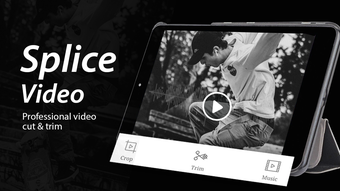
- Splicing and Trimming – Enables users to cut out unwanted sections of a video and merge multiple clips seamlessly, enhancing workflow efficiency for short-form content.
- Rotation and Flipping – Offers tools to rotate videos 90, 180, or 270 degrees, and flip them horizontally or vertically, useful for correcting orientation or creating visual effects.
- Audio Muting – Provides the ability to silence video soundtracks, helpful for removing background noise or preparing videos for silent playback.
- Watermark-Free Output – All edited videos can be saved without any branding or watermarks, preserving the user’s creative integrity and enabling clean sharing.
- Unlimited Editing Volume – The app does not impose limits on the number of videos edited or the maximum length of each file, supporting extensive content creation sessions.
- Direct Sharing Integration – After editing, users can export and share videos directly to popular social media platforms, streamlining the content distribution process.
These features collectively support a streamlined editing workflow, especially for users who prioritize speed and simplicity. The app’s functionality is tailored to mobile environments, where screen size and touch input require intuitive controls. While advanced effects like filters or transitions are not mentioned, the core set of tools focuses on essential edits that are frequently needed in daily content creation.
User Interface, Workflow & Performance
Video Crop features a clean, touch-optimized interface designed for ease of use on Android smartphones and tablets. Navigation is based on a linear workflow: import video, apply edits using on-screen tools, and export the result. The layout prioritizes accessibility, with clearly labeled buttons and visual feedback during editing actions. Users can preview changes in real time, ensuring accurate adjustments before finalizing.
Workflow efficiency is enhanced by the app’s minimalistic design and direct access to key functions. The editing process is intuitive, requiring no prior experience in video editing software. However, the developer did not specify resource usage details, so exact performance behavior in terms of CPU or RAM consumption remains unknown. Stability during long editing sessions or with high-resolution files was not confirmed. General software behavior patterns suggest that performance may vary depending on device hardware, but no user-reported issues were provided. The app appears to operate smoothly within typical mobile app constraints.
Compatibility & System Requirements
Video Crop is designed for Android devices and is compatible with the Android operating system. The current version is 1.0.2, released on May 10, 2024. The installation file size is 12.4 MB, indicating a lightweight footprint that should not significantly impact storage space on most devices. However, exact system requirements such as minimum Android version, RAM, or processor specifications were not listed by the developer. Compatibility information was partially provided, leaving room for uncertainty regarding older or low-end devices.
Users should ensure their device meets standard Android app requirements to run the application. The app does not appear to require a specific hardware configuration beyond basic Android functionality. No information was provided about cloud integration, background processing, or offline capabilities. For users seeking clarity on compatibility, testing on a personal device is recommended until official system requirements are published.
Pros and Cons
Pros
- Free to download and use with no hidden costs
- Supports unlimited video editing with no file length restrictions
- Offers essential video editing tools like cropping, splicing, and rotation
- Exports videos without watermarks, ensuring clean output
- Intuitive interface suitable for beginners and professionals alike
- Direct sharing to social media platforms for quick distribution
- Lightweight installation at just 12.4 MB
Cons
- Exact system requirements were not specified by the developer
- Limited to Android platform with no information on cross-device availability
- No advanced editing features such as filters, transitions, or color grading
- Performance behavior under heavy usage or with high-resolution videos was not documented
- Information about update frequency or developer support channels is unavailable
FAQ Section
Is Video Crop available for iOS devices?
As of the current release, Video Crop is only available for Android. There is no information indicating support for iOS or other mobile platforms.
Can I edit multiple videos in one session?
Yes, the app allows users to edit multiple videos without any restrictions on the number of files processed in a single session.
Does the app add watermarks to exported videos?
No, all edited videos are saved without watermarks, preserving the original quality and appearance.
Is an internet connection required to use Video Crop?
The app functions entirely offline. No internet connection is needed for video editing, saving, or sharing.
How often does the app receive updates?
The release date of the current version is May 10, 2024. No information was provided about the update schedule or future development plans.
Final Thoughts + CTA
Video Crop delivers a focused and effective solution for users seeking a straightforward way to crop, trim, and adjust videos on Android. Its core features are well-suited for social media content creators, educators, and casual users who need reliable tools without complexity. The absence of watermarks, unlimited editing capacity, and free access make it a compelling choice in the mobile video editing space. While advanced features are not included, the app excels in simplicity and functionality for its intended purpose.
For users who prioritize ease of use, quick turnaround, and a lightweight tool, Video Crop stands out as a practical desktop alternative on mobile. Its clean interface and efficient workflow enhance productivity, even for those with minimal editing experience. The lack of detailed system requirements and update information is a minor drawback, but does not detract from its overall value.
Download Video Crop now and start editing your videos with confidence.
Guides & Tutorials for Video Crop
How to install Video Crop
- Click the Preview / Download button above.
- Once redirected, accept the terms and click Install.
- Wait for the Video Crop download to finish on your device.
How to use Video Crop
This software is primarily used for its core features described above. Open the app after installation to explore its capabilities.
User Reviews for Video Crop 0
No reviews found





